Strategy Overview
The strategy overview can be accessed from the event tab of the ribbon bar:

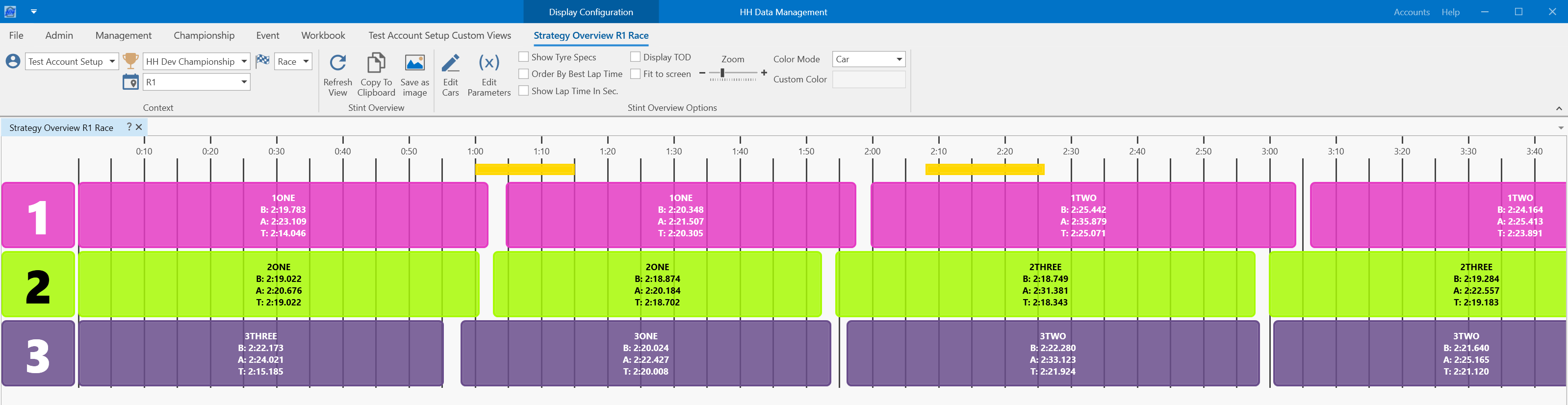
The strategy overview shows an overview of the runs for all cars in the selected session.
Stint Overview Options
The cars shown can be selected by clicking the "Edit Cars" button on the ribbon bar.
The information shown for each run can be edited by clicking the "Edit Parameters" button on the ribbon bar:
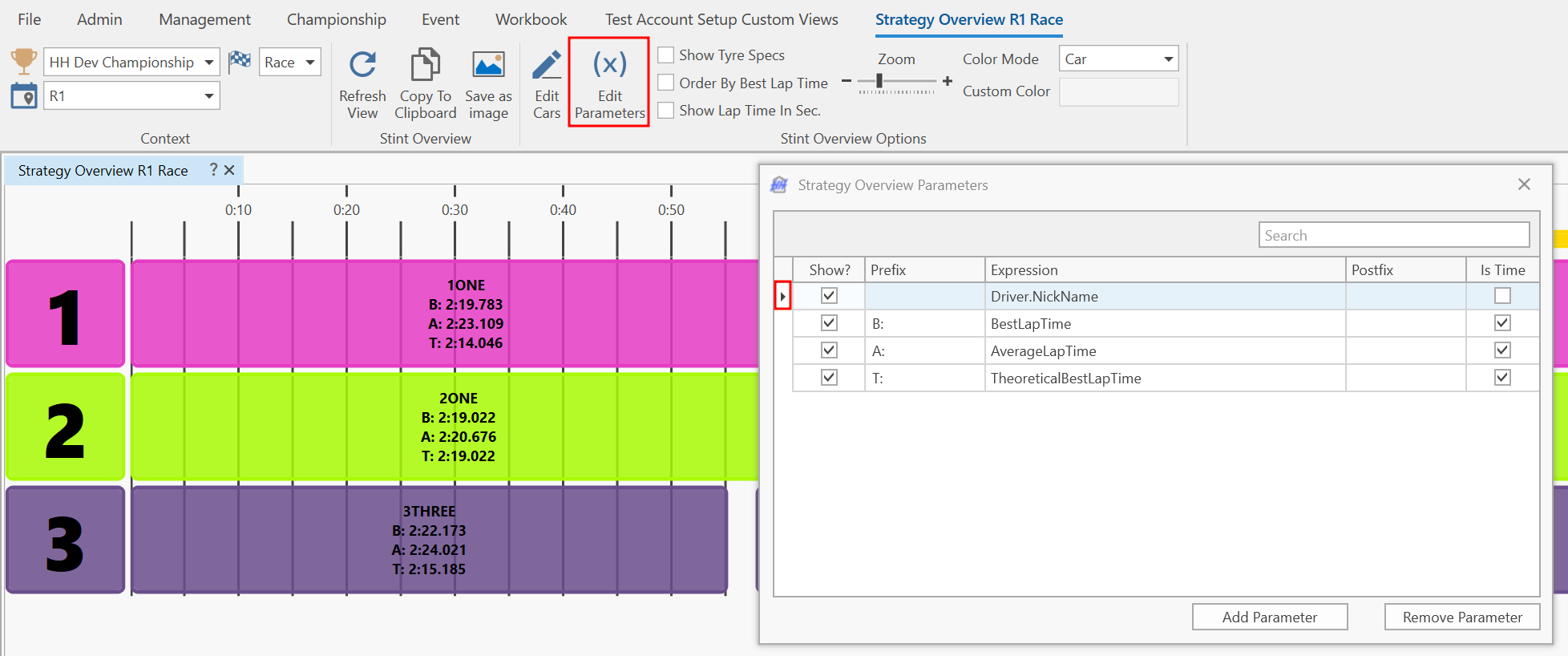
The order these parameters are displayed in can be changed. This can be done by dragging and dropping the parameter row to a new position in the list using the caret to the left of the table.
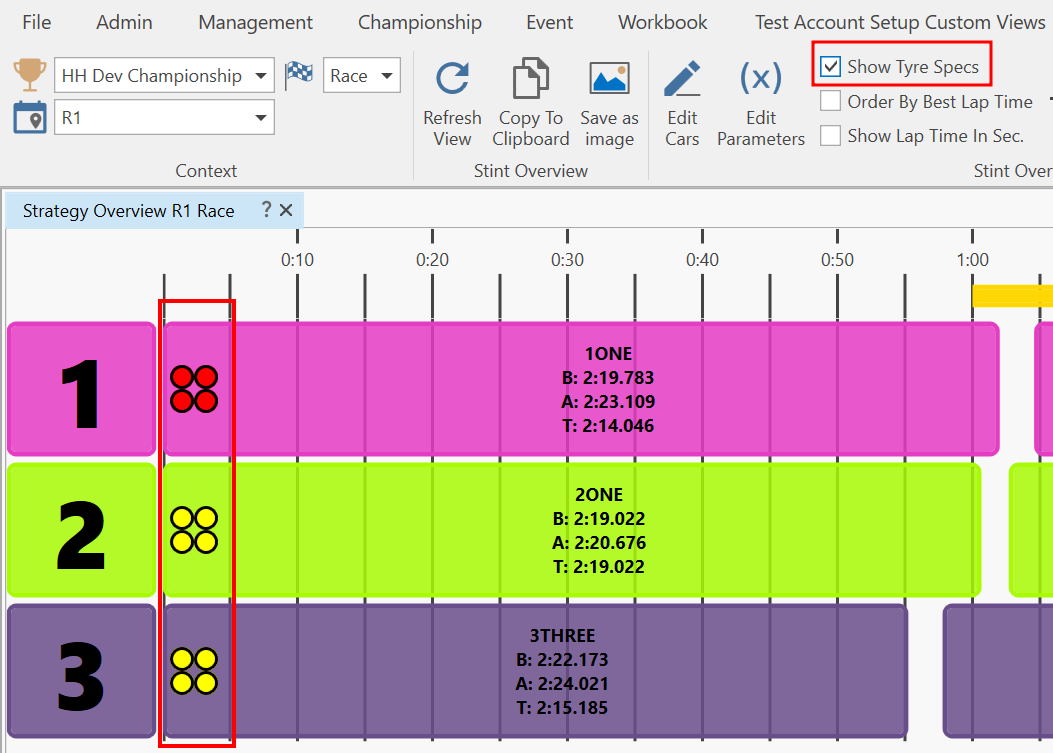
Show Tyre Specs
This checkbox determines whether to display the tyres used for the stint. This is displayed with the same configuration as in the Run Sheet:
Order By Best Lap Time
This checkbox determines whether to sort the cars in the session by lap time, where the car with the best lap time is displayed in the top row.
Show Lap Time In Sec.
This checkbox determines whether to display the lap times in seconds only, instead of the standard M:SS.fff format.
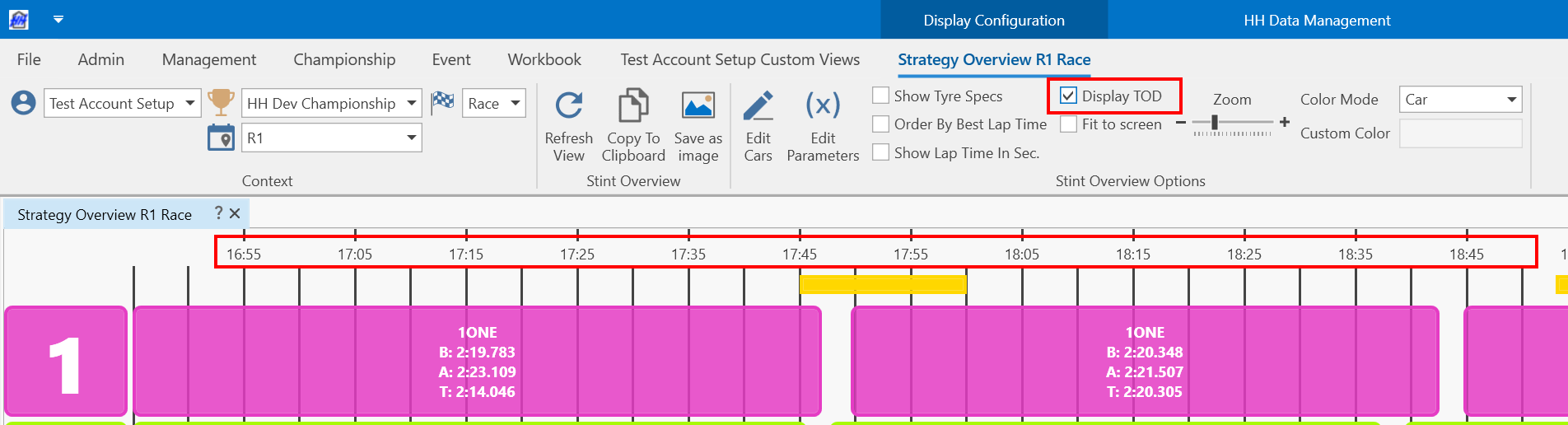
Display TOD
This checkbox determines whether to display the Time of Day (TOD) on the horizontal axis instead of the session time.
Fit to screen
When enabled, the horizontal axis is automatically zoomed to the level required to display the entire session on the screen without scrolling.
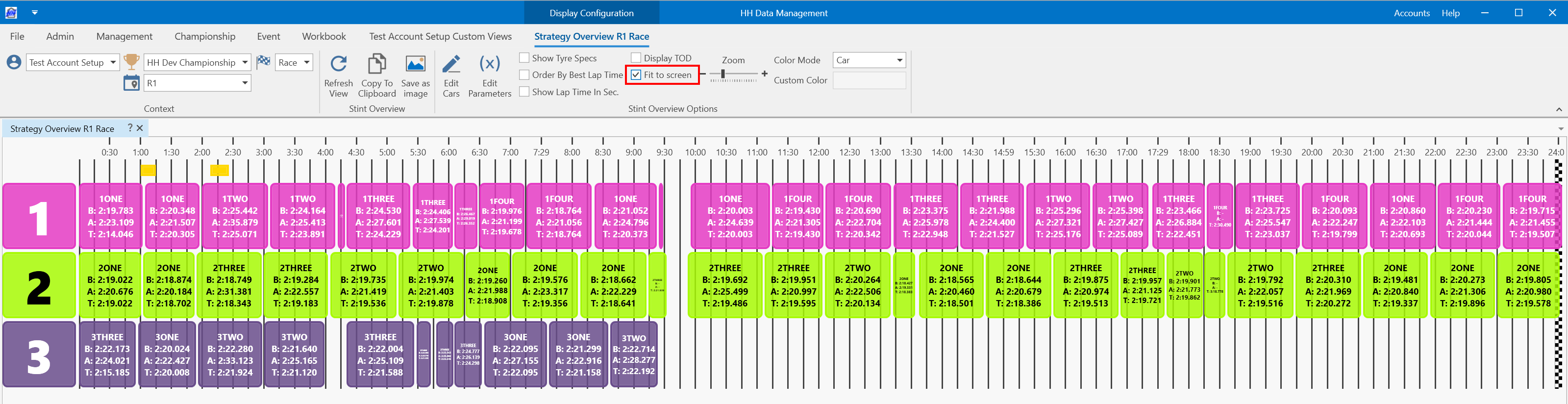
The Zoom slider adjusts the zoom of the view on the session time axis.
Color Mode
There are three options for customizing the color of each stint:
| Color Mode | Explanation |
|---|---|
| Car | Color each stint using the color of the car. |
| Driver | Color each stint using the color of the driver. |
| Custom | Color each stint using an expression. The expression is evaluated on each run in the session. |
Stint Overview
Copy to Clipboard Takes a snapshot of all stints of all cars and saves it to the clipboard.
Save as Image Takes a snapshot of all stints of all cars and saves it to a PNG image file.
Session Status
Yellow flag periods will be shown at the top of the strategy overview plot. Refer to Lap Markers and Lap Track Status Markers for Lap Track Status Marker settings information.
Refer to HH Timing Integration for configuration information.
Additional features
When a stint is double-clicked, a window is shown that enables visualizing the tyres for that stint without actually having a tyre set assigned to the run.
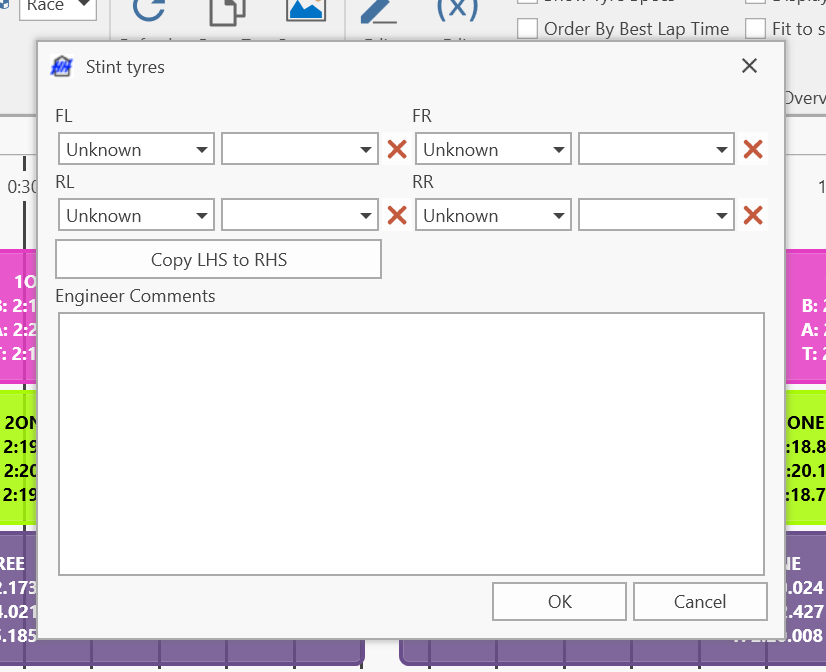
The tyre change state and tyre specification can be manually selected for each corner:
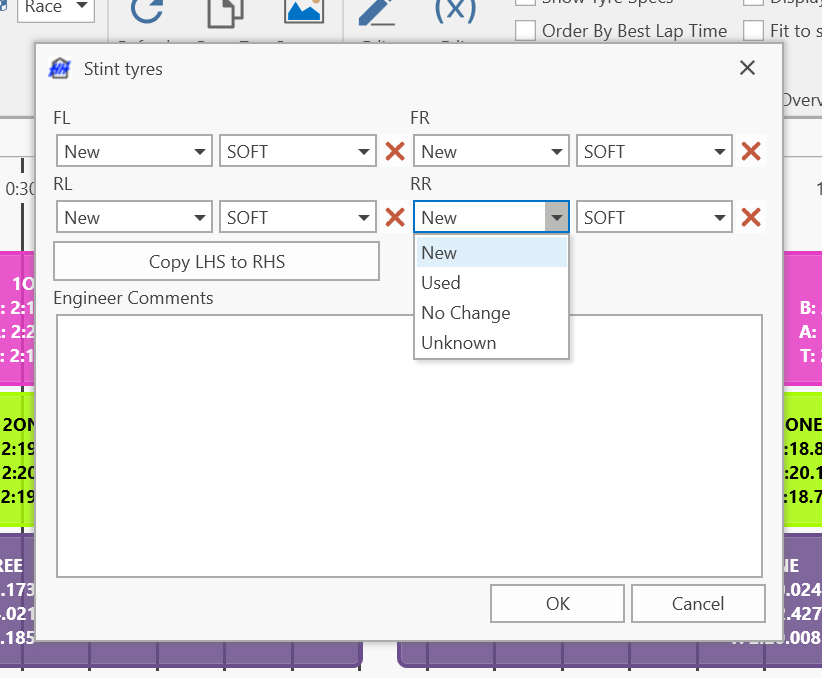
This can then be displayed:
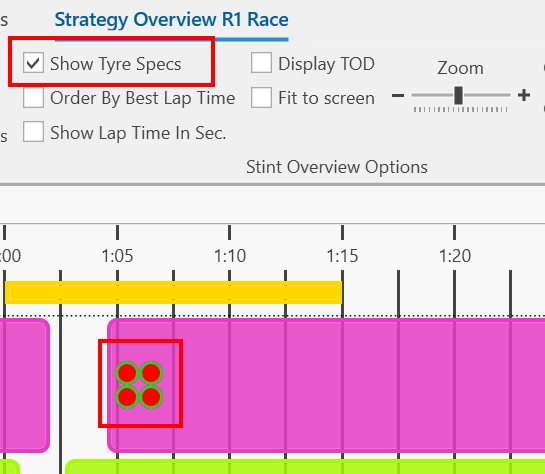
This does not override an existing tyre set assigned to the run. The tyres specified in this window will only be displayed if the runsheet does not already have any tyre set defined.
The tyres defined here are displayed uniquely to indicate they are not "true" tyres:
-
The tyre specification colour is always displayed in full
-
The tyre outline changes colour depending on the tyre change state:
Change state Outline colour New Green Used Red No Change Transparent Unknown Black