Excel Export Examples
This article provides examples of how to use the Excel export in HH Data Management. Some export templates and export profiles can be downloaded and customized using these buttons:
- Add Template.
- Import Profile.
- Select the template workbook within the newly imported profile.
Setup
Single or multiple setups can be exported from HH Data Management.
Single export
A single setup can be exported in Excel or PDF format to be printed for mechanics.
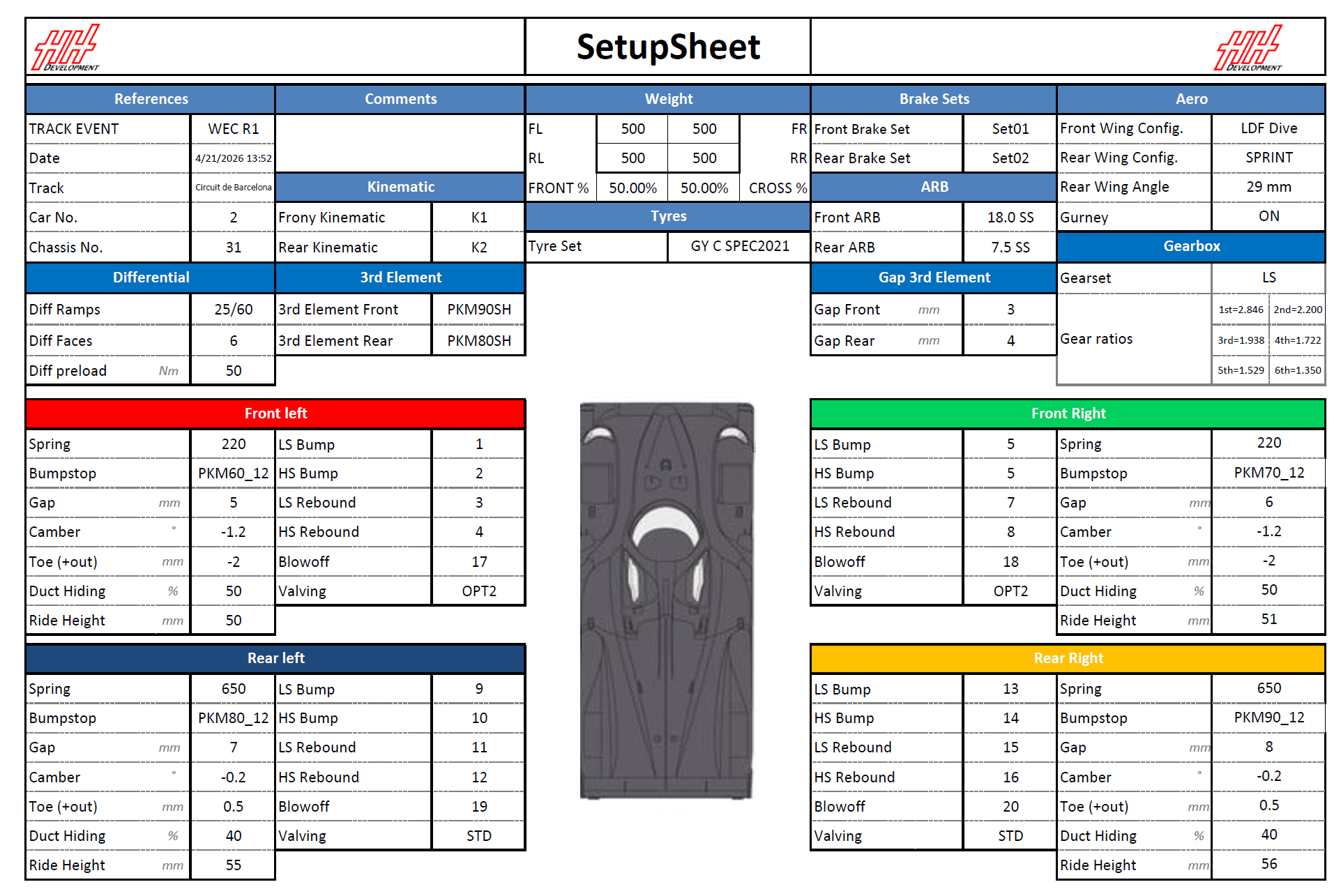
| Settings | Description |
|---|---|
| File Scope | Championships.Events.EventCars.Setups |
| File Name Template | The Name of the setup can be used in the file name template if one Excel file per setup is expected. |
| Worksheet | Name of the setup can be used in the WorkSheet Name. |
| Cell Column/Row Index | Use Text Search for dynamic placement. |
An Excel Export button can be added in the Setup CID to export or print a setup using this Excel export profile.
| File | Download Link |
|---|---|
| Profile | Single setup Excel profile |
| Template | HH Dev setup sheet |
Double-column setup export
All setups from one Event and Car can be exported side-by-side.
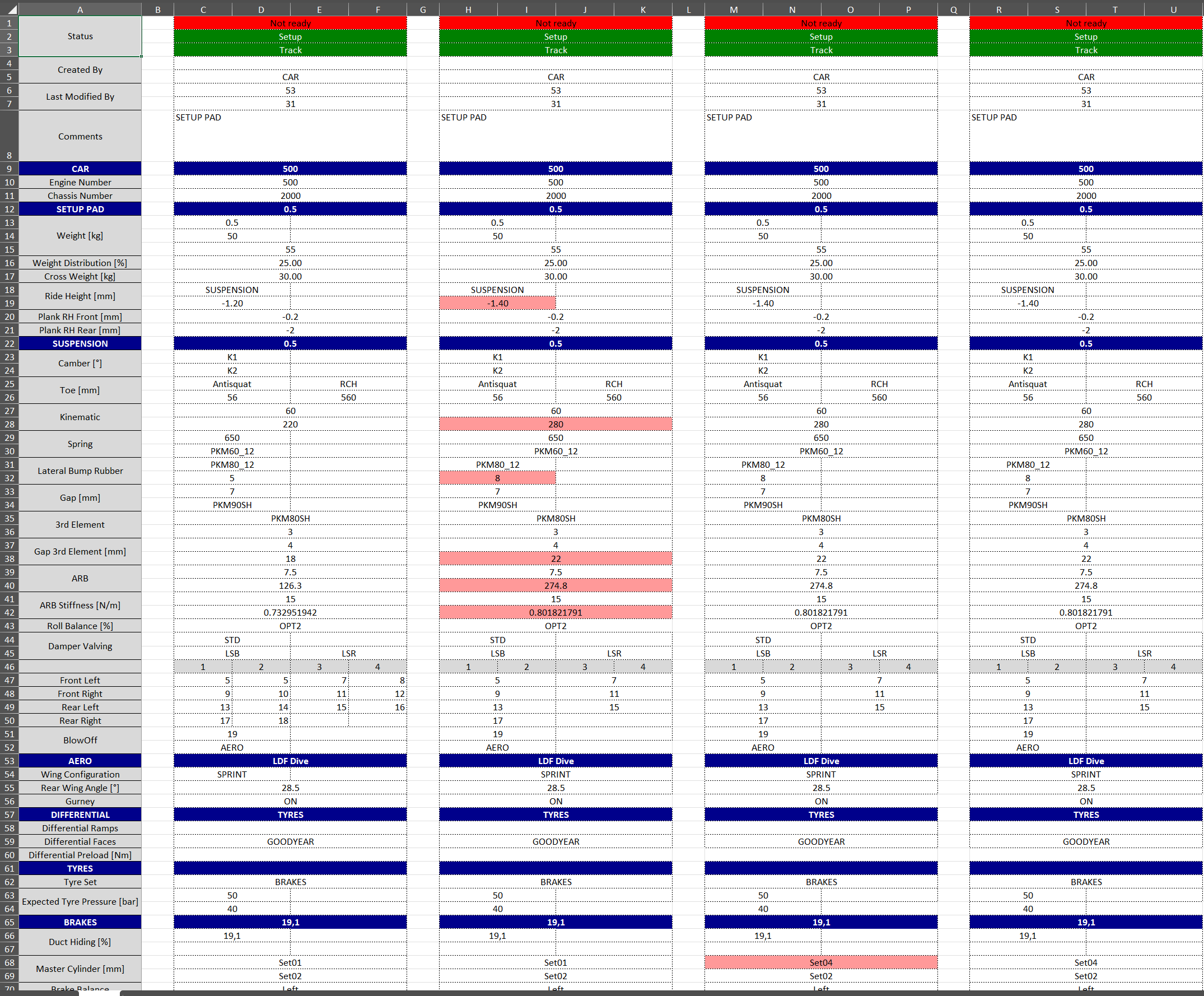
| Settings | Description |
|---|---|
| File Scope | Championships.Events.EventCars |
| First cell | Loop on each setup by changing the scope to Setups and using Linear Equation for column index |
| Cell Column/Row Index | Constant Index are used |
Access the profile from the Data ex-/import view. Use the Export button in the Setup view ribbon bar to export all setups displayed.
| File | Download Link |
|---|---|
| Profile | Double column Excel profile |
| Template | HH Dev double column setup export |
Global issue list
All global issue lists can be exported to Excel.

| Settings | Description |
|---|---|
| File Scope | Null. |
| First cell | Loop through issues by changing the scope to IssueListIssues and using linear equation for row index. |
| File | Download Link |
|---|---|
| Profile | Global issue list Excel profile |
| Template | Global issue list export template |
A filter can be added to include only specific types of global issue lists by using the Allow Export setting.
RunSheet export
Full event report
A summary of the full event can be exported with:
- Tyre usage summary
- Lap by lap summary
- Run by run summary
- RunSheet table with driver and engineer comments
- Fuel summary
- Weather summary
- Session issue list summary
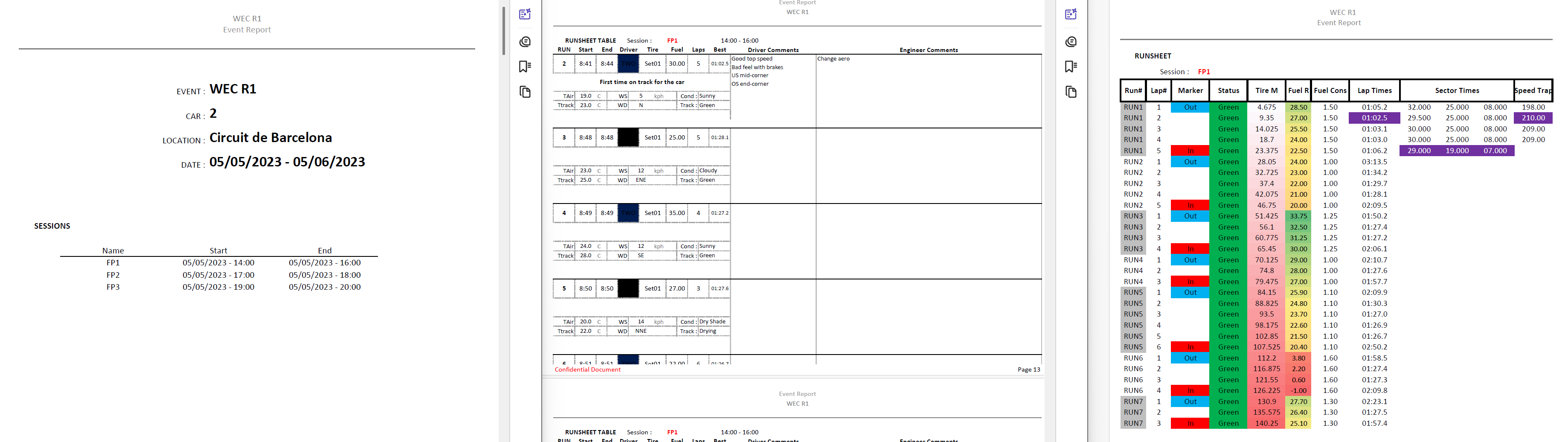
| Settings | Description |
|---|---|
| File Scope | Championships.Events.EventCars |
| VBA Sub Procedure To Call After Export | This profile is calling an Excel macro called PrintAreaTotal to clean the document before exporting in PDF format |
| WorkSheet | This profile is using several worksheet cells to export in different worksheets |
| File | Download Link |
|---|---|
| Profile | Event report Excel profile |
| Template | Event report export template |
Session report
A simpler runsheet export can also be used with one file per session
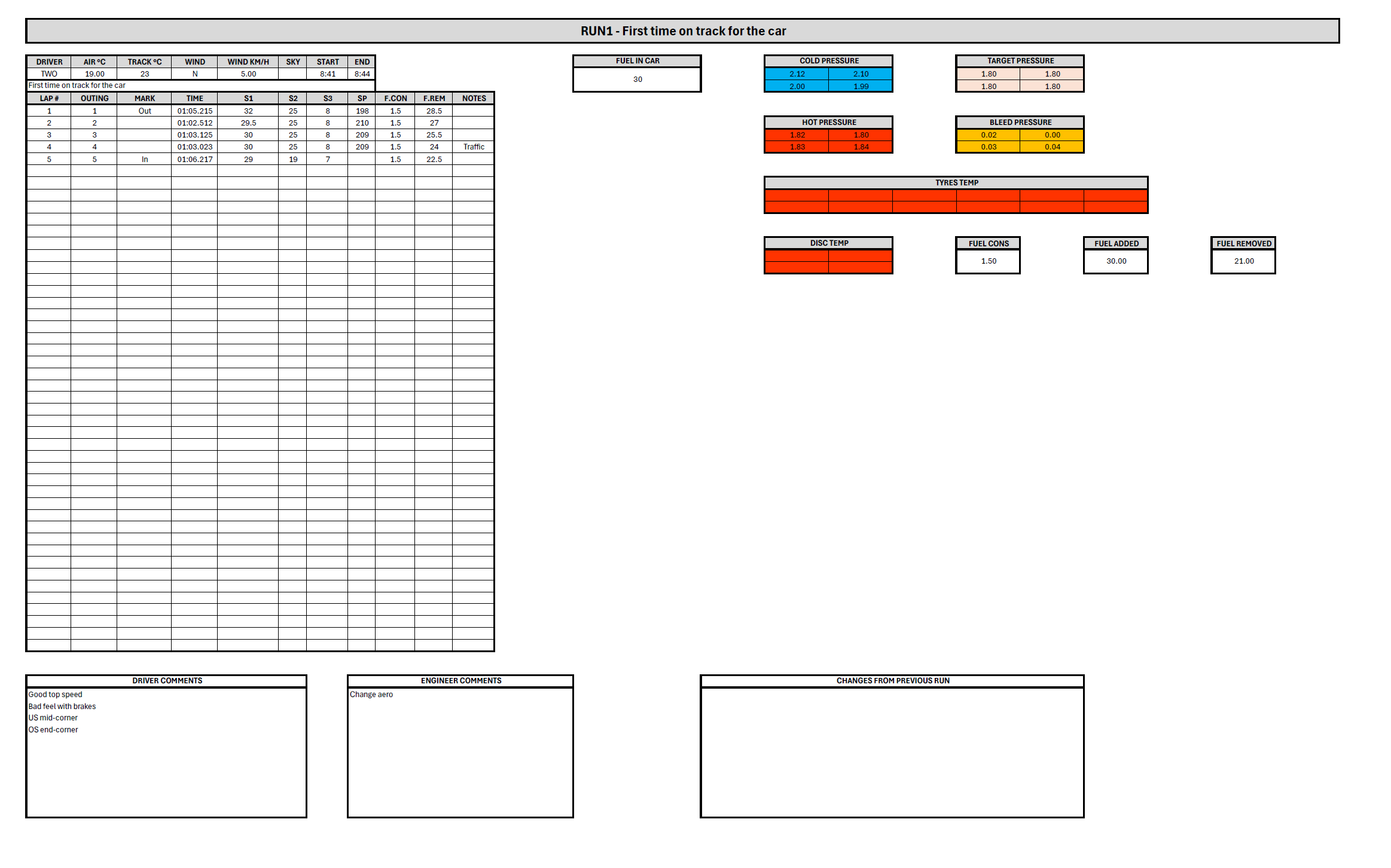
| Settins | Description |
|---|---|
| File Scope | Championships.Events.EventCars.EventCarSessions |
| VBA Sub Procedure To Call After Export | This profile is calling an Excel macro called AutoFitColumns to clean the document before exporting in PDF format |
| WorkSheet | This profile is using several worksheet cells to export in different worksheets |
| File | Download Link |
|---|---|
| Profile | Runsheet Excel profile |
| Template | Runsheet export template |
Access the profile from the Data ex-/import view.
An Excel xxport button can also be added in the runsheet or event / session details CGD.
Default run plan export
The default run plan can be exported (run mode).

| Settings | Description |
|---|---|
| File Scope | Championships.Events.Sessions.SessionCars |
| First cells | Some session info can be exported at the top and then a cell is looping through all planned runs |
| File | Download Link |
|---|---|
| Profile | Run plan Excel profile |
| Template | Run plan export template |