Version 26.1
Version 26.1 includes many improvements to HH Data Management. Many of these were requested by you, so thank you for continuously sharing your feedback and ideas!
As usual, if you have any questions or issues with the release please contact us at support@hh-dev.com.
Installation
There are some updates to the database schema in this version, making it a mandatory update. It can be downloaded from here. A database resync isn't needed, and work on the account can resume immediately after the update.
Prior versions will not be allowed to sync anymore.
Overview
One of the main goals of this version was to improve the overall performance of the software. This included:
- upgrading to .NET 9.0
- reworking the math evaluation to speed up calculation and reduce memory usage
- improvements to the Main Graph plotting to provide significantly faster refresh speeds
All of which should contribute to a more fluid user experience. More performance improvements are yet to come in future versions, particularly targeting large CIDs. The user interface remained unchanged for most parts, although you will find a few more features that were added.
General / Settings
- Added a ‘Check for Updates’ button to the backstage view. In addition, a background check will be performed every 15 minutes to provide the most up-to-date version of the software and plugin.
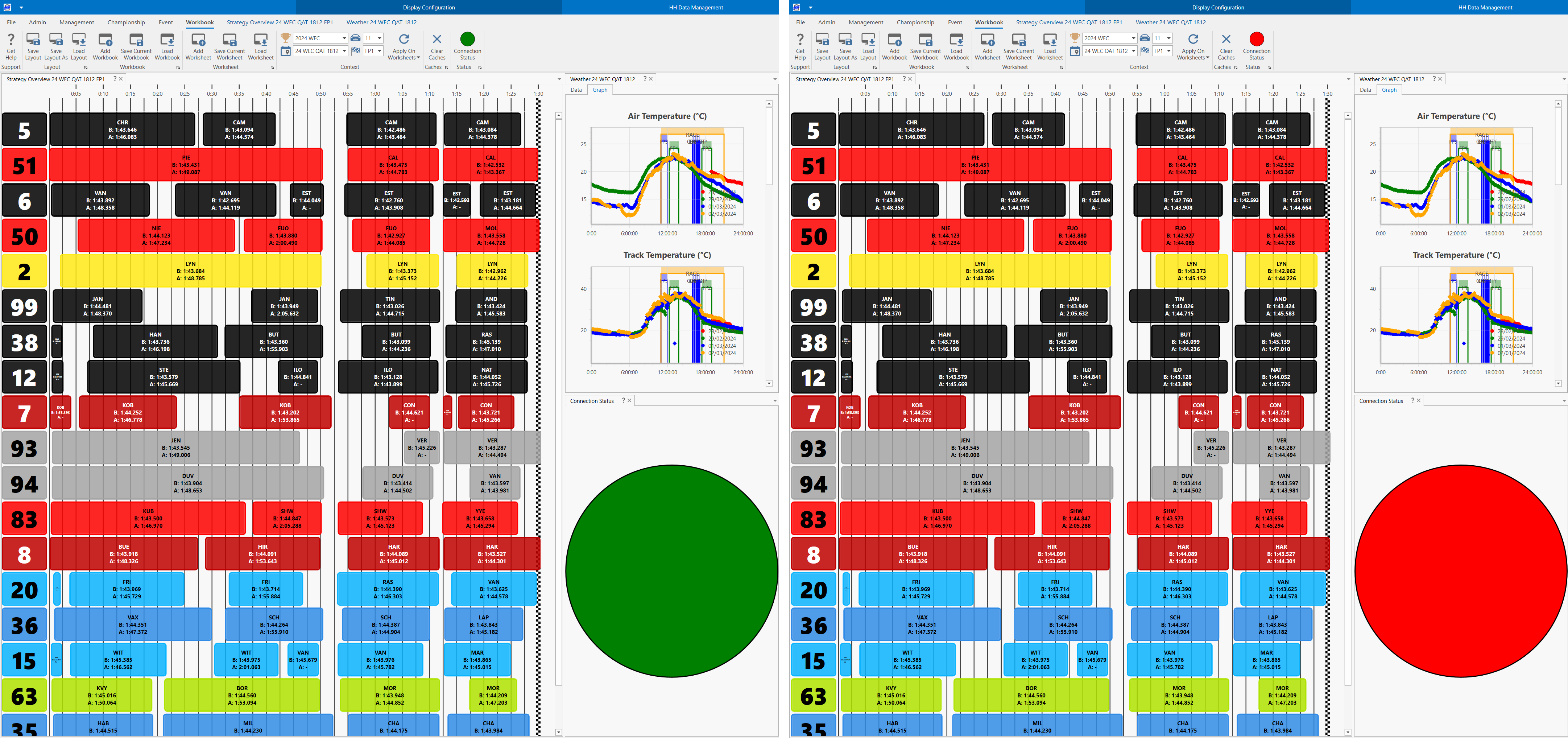
- Added a Connection Status view to show when the server connection is lost.
Configuration Entities
Definition
- Part and Assembly Parameters can now be added to the User definition
- Added Assembly Iterations History definition for tracking service/rebuild of assemblies
- Added Auto Download and Delete After Upload settings to Attached Files Parameters which can now be used in attached file controls (CID, CGD, and Custom Columns)
- Ability to disable evaluation of Math Parameters
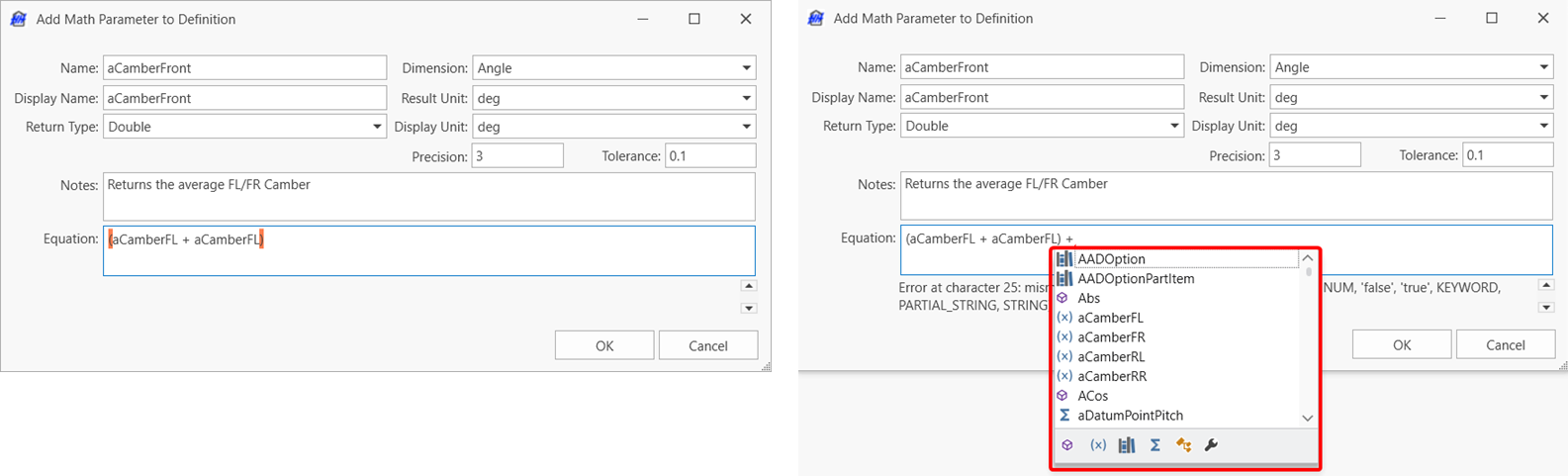
- Added a Notes field to Math Parameter
- Added filtering buttons and highlighting of open/close parenthesis to the math expression editor making it easier to create/edit Math Parameters
CGD Definition
Being one of the most popular features of our latest release, we worked on enhancing its capabilities by adding the missing controls already available in the CID definition and the Custom Columns profile. Many more options/settings will let you design tailor-made views. For the full list of supported controls and options/settings, check out our help file.
Parts, Assemblies & Tyres
Mileage
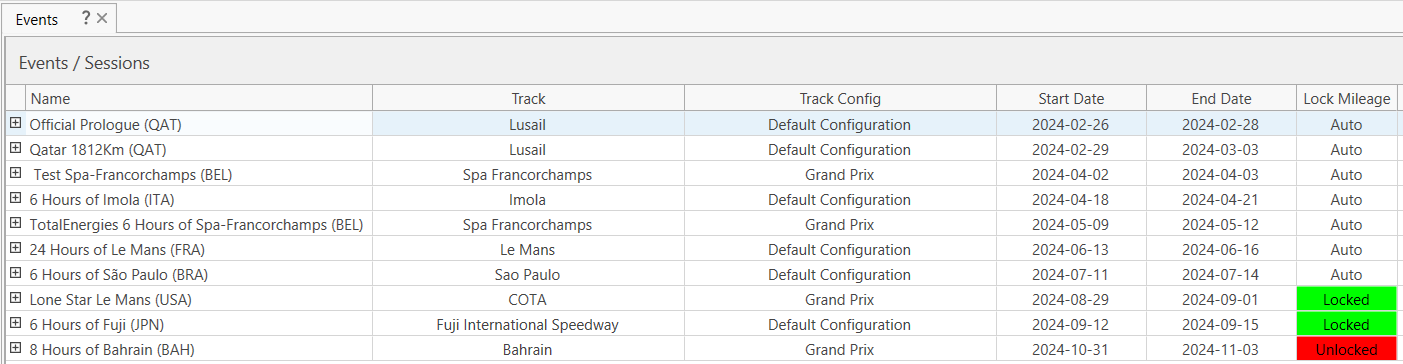
Up to now, the Mileage calculations have been recalculating all events on the account, which led to increasing waiting times as more events were completed. The software will now automatically only recalculate the mileage of events that happened within the past 30 days. This can also be manually controlled. The progress of the calculations will be displayed as the number of events completed over the total number of events to compute.

Tyres
The CurrentMileage custom property added in version 25.1.29 was in conflict with an entity property of the same name. Therefore, the old CurrentMileage property on the tyre is now renamed to CurrentMileageFromWear. This new name reflects the value it returns: the current mileage of the most recent wear measurement on the tyre.
This means the two current mileage properties on the tyre are as follows:
Doubles.CurrentMileage | This is the current mileage of the tyre, derived irrespective of any wear measurements it may have. Please see Current tyre mileage for further information. |
CurrentMileageFromWear | This is the current mileage of the most recent wear measurement on the tyre. |
This may be a breaking change for your account. All existing math parameters, data exports, custom columns and CIDs that currently use TyreFlatModel.CurrentMileage must be changed to TyreFlatModel.CurrentMileageFromWear to retain existing functionality. Any plugins must also be changed in order to build with this new version of HH Data Management.
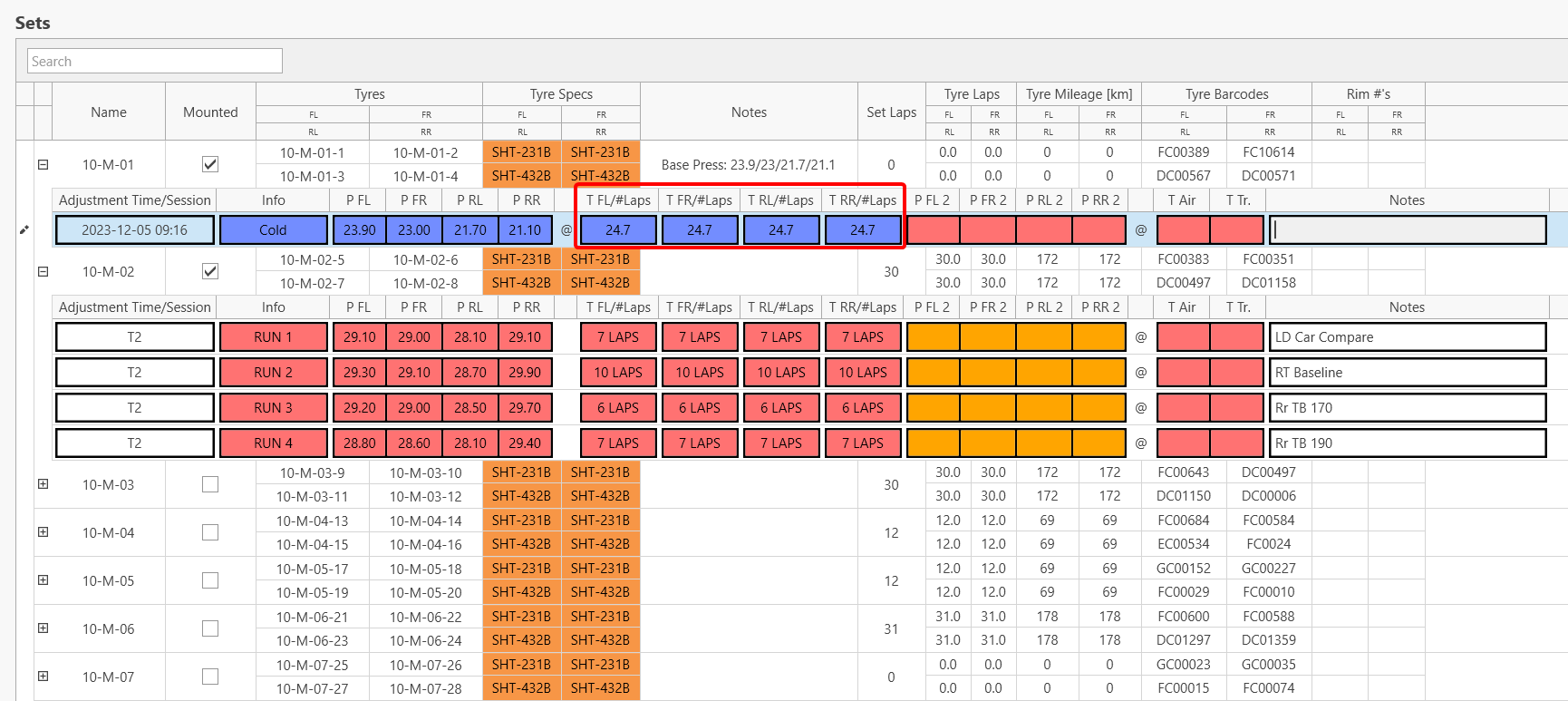
An option has been added to allow for individual reference pressure for each corner of a tyre set.
Event Entities
Runs
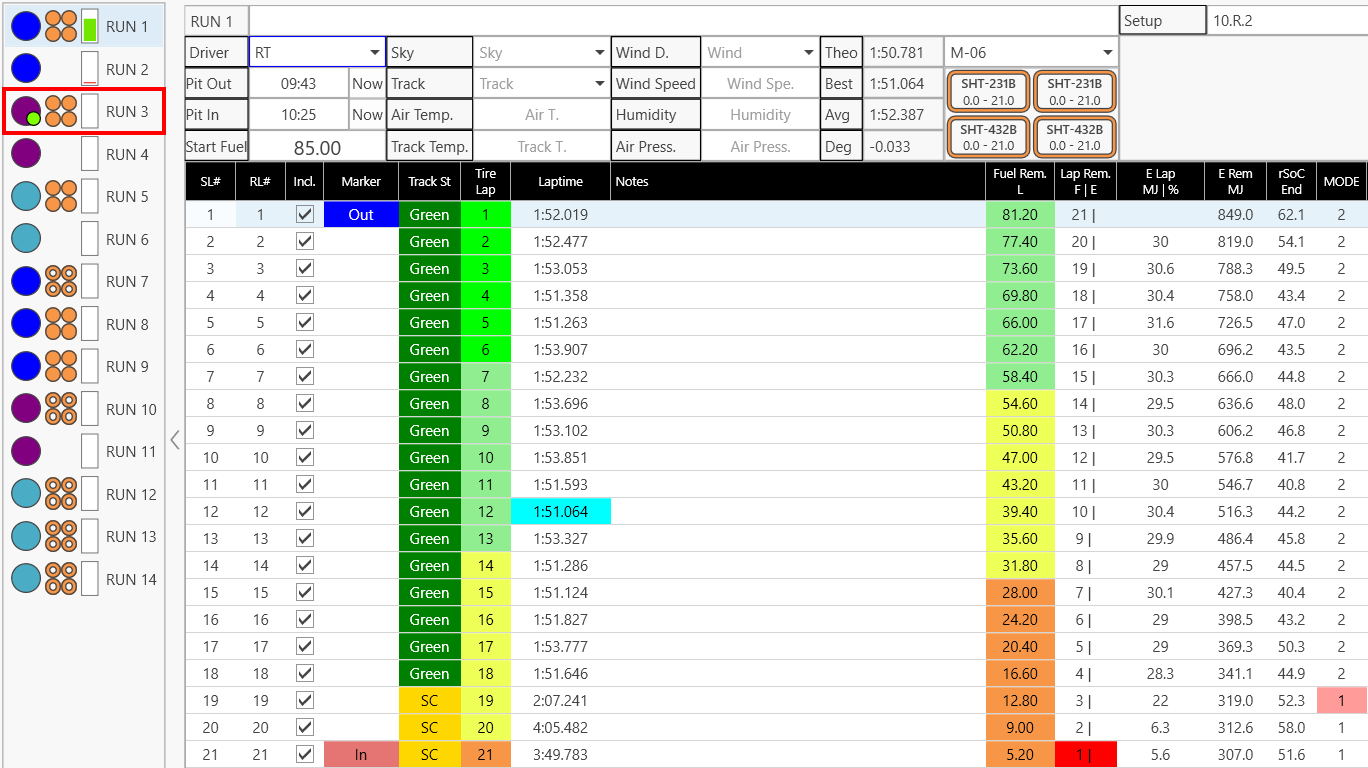
A new marker has been added to the run selection list next to the driver’s circle highlighting the run with the fastest lap of the session.
Data Export / Import
Data export now supports:
- Collection parameters of Part or Assembly Parameters
- Array Values (JSON Export Profile)
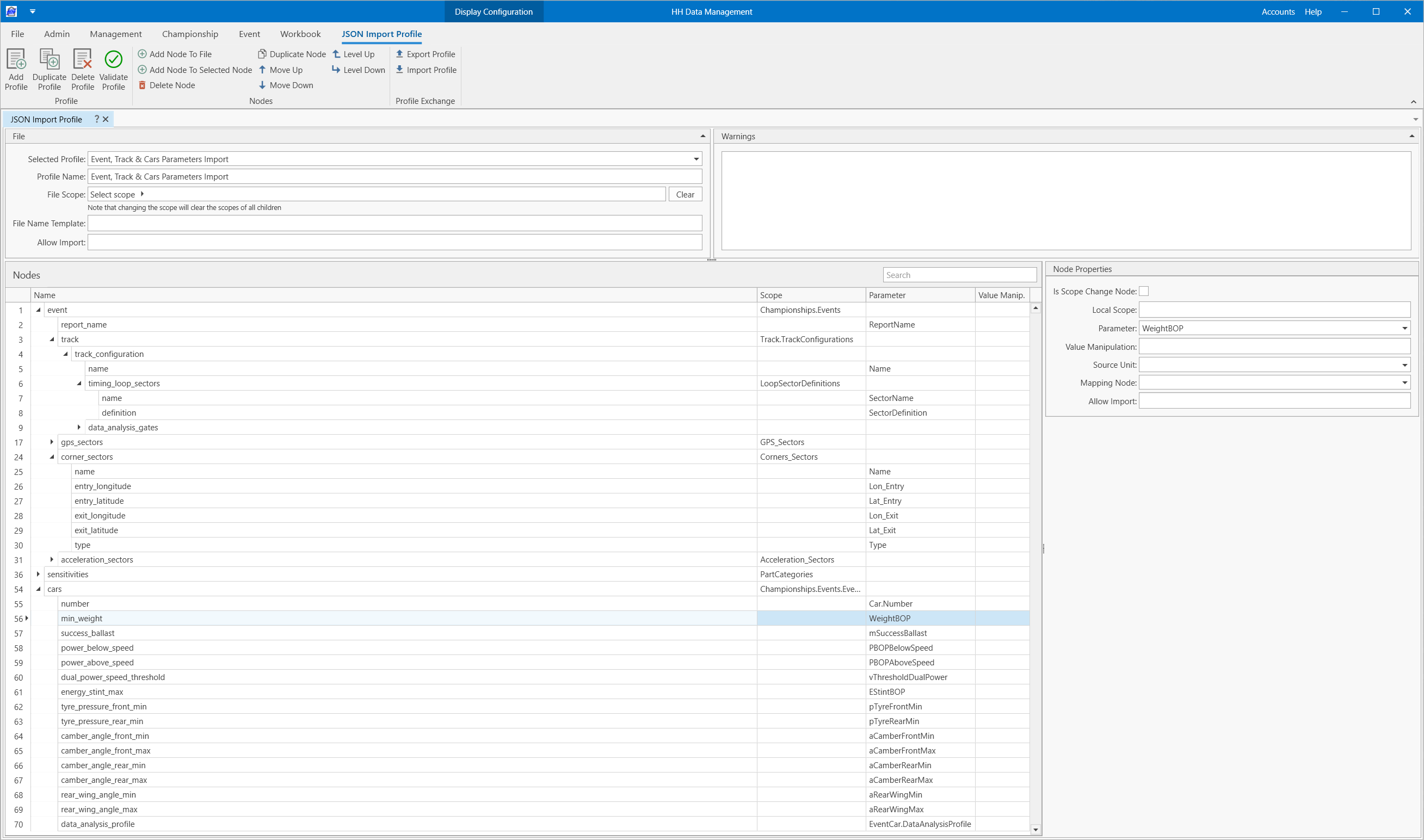
A JSON Import was introduced in this release. It allows for quicker data input and/or item creation. This feature can be used in many ways including creating new parts, setting event/track parameters, etc. We intend to extend this functionality to support additional file formats in the future (CSV, Excel and XML). Ultimately, the goal is to remove the need for custom import code written in plugins by offering a built-in solution.
Analysis
Data Viewer
Thanks to positive feedback received following the addition of a data viewer in the last software release, a great deal of time was spent revamping the interface and adding many of the requested functionalities to enhance its capability:
- New window combining both Plot Definition and Display Settings
- New tab to show the data channel errors
- Option to set the line colors based on channel, car or constant
- Option to use a local distance channel
- Ability to plot Custom Expressions defined in the selected Data Analysis profile
- Display of the x-axis value at the cursor location
- Zoom and cursor linking between all plots
- Added new buttons at the top of the data tree for loading/unloading data, filter the fastest lap and collapsing/expanding the tree
- Added a button to export images of fastest laps overlays
- Additional keyboard shortcuts
Reference
Math functions and units were added/updated to provide more flexibility for creating Math Parameters required for analysis and other data export.
Math Expressions
-
New functions:
- ToSafeFileName to sanitize arbitrary strings into valid Windows‑safe file names
- Contains that returns a Boolean indicating whether one string appears within another
- Split that returns a list of substrings or parsed doubles by splitting a text using the provided delimiter(s)
- LinFit to perform ordinary-least-squares regression on two numeric lists or specified fields of FlatModels collections, with results returned as slope and intercept
- Added support for control-character literals (CRLF, LF, CR and TAB)
-
Updated functions:
- Interpolate now supports n-dimensional datasets
- TextJoin now supports collections
- DateTimeToString adds an option for returning the DateTime in a specified time zone
- Lookup adds an option for returning the last item from the result list
Changes have been implemented to the Interpolate function, specifically the requirements for matching dimensions and unique data points, have been enforced in this version.
If Math Parameters using the Interpolate function fail to return a value, check the data collection in order to:
- Remove Duplicates: Ensure all sample points are unique.
- Match Dimensions: Ensure that the number of data points provided for each dimension matches the data array's shape, as the function expects a complete grid or corresponding points for N-dimensional interpolation.
Units
The following dimensions/units were added to the software
- Heat Flux dimension with units: W/m², W/in², and W/ft²
- Megawatt (MW) added to the Power dimension
- Megapascal (MPa) added to the Pressure dimension
Make sure to check out the Reference page of the help file for the full list of Math Expressions and Units and examples on how they can be used.
HH Timing Integration (DMI)
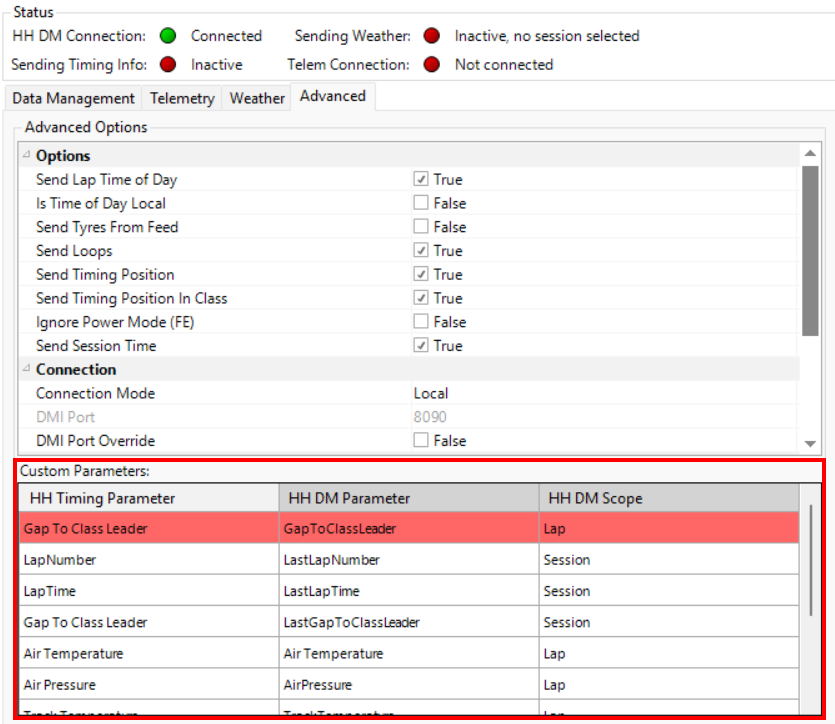
This release of HH Data Management also comes with a mandatory update of HH Timing and the DMI plugin due to changes we made to ensure more robust communication between both.
There is now an option to override the port used to exchange messages between the applications. Moreover,we have now added a warning for the user when running into incompatibility issues between HH Data Management and DMI plugin versions.
It is now possible to send additional timing information to either lap, run, or session entities. These custom parameters can be mapped from the advanced tab.